
How to Do App Store Keyword Research in 2026
A six-step App Store keyword research process: find real search terms, check relevance and competition, use popularity data, and choose what to target.
In this article
Short answer
Good App Store keyword research finds terms that are relevant to your app, searched by real people, and possible for you to rank for. Collect ideas from reviews and competitors, look at the apps ranking for each one, check Apple Ads popularity, then keep the terms where you could plausibly compete.
Step 1: How do you collect keyword ideas?
Start wide and do not filter yet. Good sources include:
- Your reviews. People describe your app in their own words, which are often not the words you would use.
- Competitor names and subtitles. These fields are short, so what appears there is a deliberate choice.
- App Store search suggestions. Type the start of a term on your iPhone and note what appears.
- Apple Ads recommendations. Apple shows keyword recommendations alongside search popularity.
Step 2: Is the keyword actually relevant?
Look up each term in the keyword rank checker and ask whether your app belongs on that page. If the top apps solve a different problem, the keyword will bring people who leave, even if you can rank. Since Apple counts user behavior, a poor match can also work against you.
Step 3: How competitive is the keyword?
Apple publishes no difficulty score, so read the page yourself. Three signals tell you most of what you need:
| Signal | Easier | Harder |
|---|---|---|
| Exact words in app names | A few of the top 10 | Most of the top 10 |
| Median ratings in the top 10 | Hundreds | Hundreds of thousands |
| Who holds the top spots | Indie and niche apps | Household brands |
These are rules of thumb, not measurements. Any difficulty score from a tool, including the one in OpenASO, is an estimate built from signals like these.
Step 4: Is anyone searching for it?
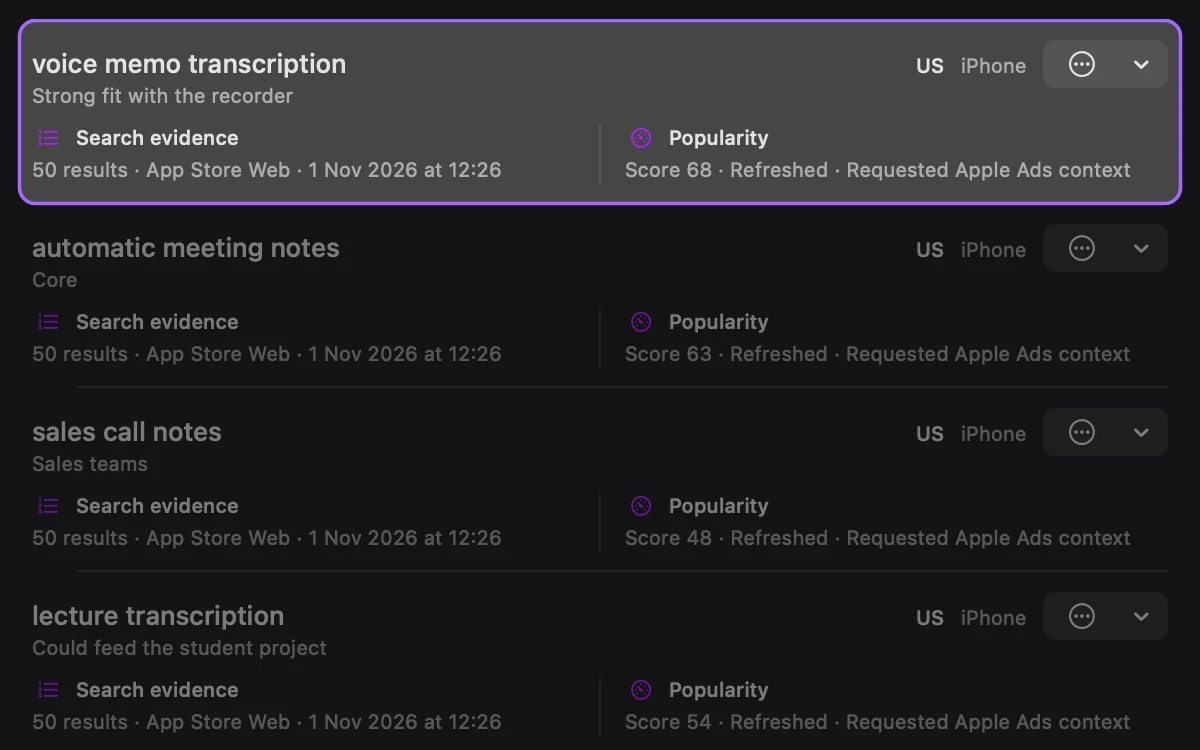
Apple’s search popularity indicator is the closest first-party signal. It is relative, so use it to compare two terms rather than to forecast downloads. If you do not have an Apple Ads account, search suggestions are a weaker hint that people type a term.
Step 5: How do you choose what to target?
Sort your terms into groups:
- Defend. You rank well and the term matters. Keep it in your metadata.
- Attack. It is relevant and popular, and the apps above you look beatable.
- Long-tail. Fewer people search, but the term is specific and you can rank soon.
- Drop. It is irrelevant, or out of reach for now.
A new app with few ratings usually does best with long-tail terms. Winning a few specific searches earns downloads and ratings, which make broader terms more realistic later.
Step 6: Where do the keywords go?
Put the most valuable words in your app name and subtitle, because those are visible to shoppers as well as to search. Everything else goes in the keyword field. The keyword field builder removes duplicates and fits the rest into 100 characters, and the keyword field guide covers Apple’s rules.
Then track what happens. OpenASO’s research projects and keyword tracking keep ideas and positions in one place, and an AI assistant can do much of this legwork once it can see real data.
Sources
Checked November 1, 2026.
Frequently asked questions
How do I find keywords for my app?
Start with the problem your app solves, then collect the words people use in your reviews, in competitor names and subtitles, and in App Store search suggestions. Test each idea by looking at the apps that rank for it.
How many keywords should I target?
Your name, subtitle, and keyword field hold about 160 characters per language, so you can only cover a limited set of words. Pick a small group you can rank for rather than a long list of terms you cannot.
Can I see App Store search volume?
Apple has said it does not provide keyword-level data in App Store Connect. The first-party signal is the search popularity indicator in Apple Ads, which is relative. Volume figures in third-party tools are estimates.
OpenASO publishes this article and makes a competing ASO app. Spotted something out of date? Send a correction.