How to Track App Store Keyword Rankings
How to track App Store keyword rankings by country and device, how often to check, how to read changes, and which free options work.
In this article
Short answer
To track App Store keyword rankings, record your position for each keyword, country, and device on a regular schedule, then compare over time. You can check one term by hand or with a free rank checker. For more than a handful, a tracker that saves daily snapshots is the realistic option, because App Store Connect has no keyword-level data.
What is a keyword ranking, exactly?
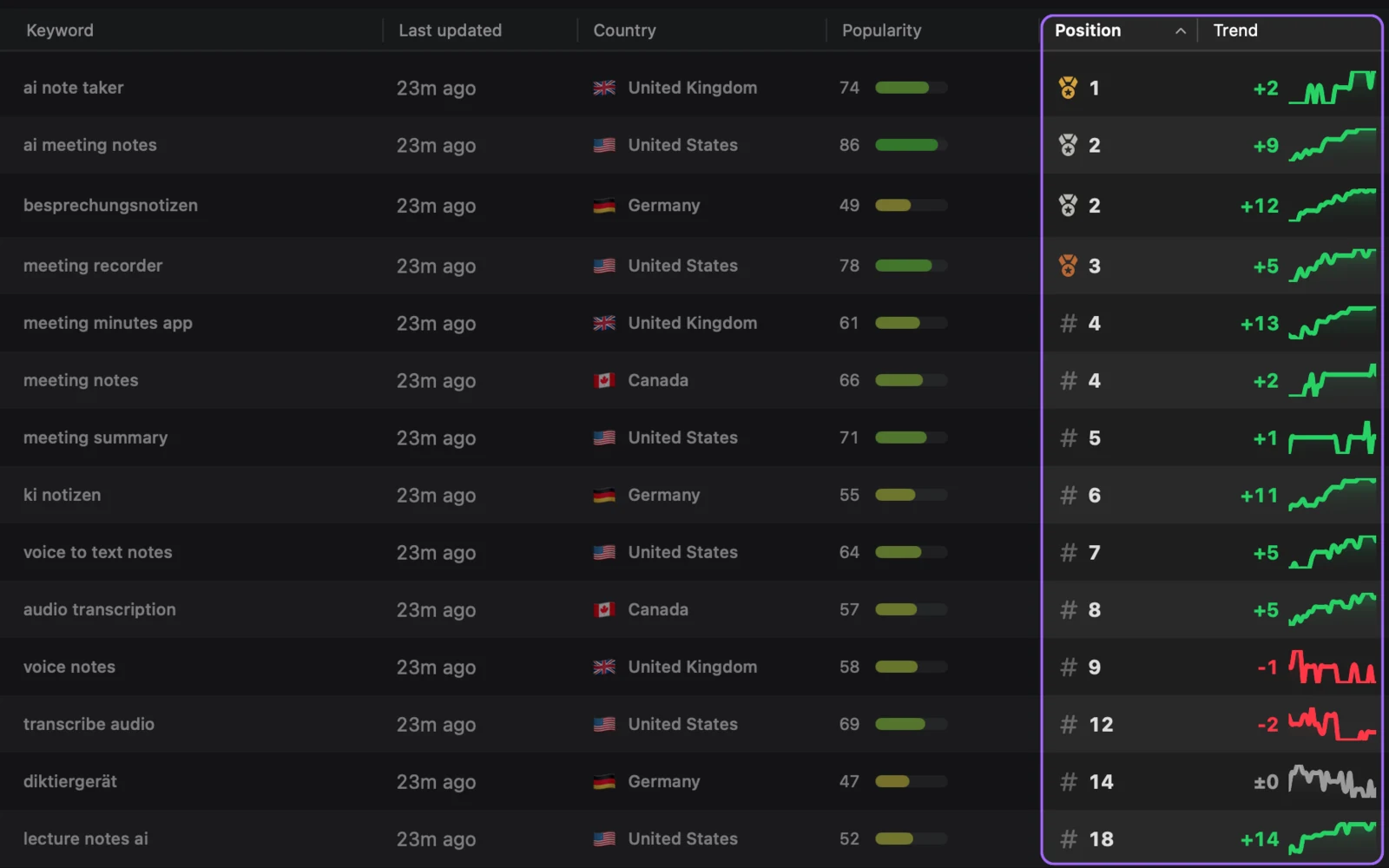
A ranking is your app’s position in the results for one keyword, in one storefront, on one device type. “Fitness tracker” in the US on iPhone is a different measurement from the same term in the UK, or on iPad. That is why serious tracking multiplies quickly: 20 keywords across 5 countries is already 100 rows.
How can you check rankings for free?
You have three options, and they suit different amounts of work:
| Method | Good for | Weakness |
|---|---|---|
| Search on your phone | One or two terms | Tied to your own storefront, with no history |
| Keyword rank checker | Quick checks in any country | One moment in time |
| OpenASO | Ongoing tracking | Requires a Mac running macOS 15 or later |
Browser checkers usually rely on the public iTunes Search API, which Apple limits to roughly 20 calls a minute. It is not the App Store app, so results might not match your phone exactly. OpenASO looks up App Store web search results first and falls back to the iTunes API.
How often should you track?
Once a day suits most apps. Positions can move day to day, and you only need enough points to see a trend. Turn on daily refresh in OpenASO and it checks stale keywords once a day at a time you choose.
How do you read a ranking change?
Before you draw a conclusion, go through these questions:
- Did you change anything? Note the date of each release and metadata update, since otherwise you cannot link cause to effect.
- Did the rest of the page move? Open the ranked apps for that keyword. A new competitor explains more drops than any algorithm theory.
- Is it one keyword or all of them? One keyword moving points to that term. Many moving at once points to something larger, such as a change in your downloads.
- Has it lasted? Wait a week or two before reversing a decision. Early movement after a release can fade or grow.
Also keep position in proportion. Moving from 80 to 40 is a real gain, yet few people scroll that far. The top few results are where a rank starts to bring downloads.
What should you track besides position?
Rank is only useful alongside its context, so track these as well:
- Popularity, so you can tell a valuable position from an empty one. See how search popularity works.
- The apps around you, because competitors reveal why a position changed.
- Ratings by country, since Apple counts ratings and reviews among the signals behind search results.
OpenASO stores all of this locally on your Mac and lets you export it as CSV. If you want hosted reports for a team or Android coverage, see our ASO tool comparison.
Sources
Checked November 1, 2026.
Frequently asked questions
How do I check my App Store keyword ranking?
Search for the keyword in the App Store on a device in the right country, or use a rank checker that queries Apple's search data. To see change over time, use a tracker that saves each result.
Does App Store Connect show keyword rankings?
No. Apple has said it does not provide keyword-level data in App Store Connect, so you need to check rankings yourself or use a tool.
How often should I check keyword rankings?
Daily tracking is enough for most apps. Keep the history, but judge a metadata change over one to two weeks rather than by a single day's movement.
OpenASO publishes this article and makes a competing ASO app. Spotted something out of date? Send a correction.